
I’ve been working from home for almost five years now, and I can tell you with absolute confidence: the first two years were a mess. Not because I wasn’t disciplined or didn’t know how to work — I did — but because I hadn’t thought seriously about my environment. I was working from my couch, at my kitchen table, hunched over a laptop with my phone right next to me, surrounded by dishes and distractions and zero sense of separation between “work mode” and “home mode.”
The result was that I never fully turned work off, never fully felt productive, and developed a chronic ache in my upper back that my chiropractor had a lot of opinions about.
Setting up a real home office changed everything. Not in some dramatic, Instagram-transformation way — I don’t have a perfectly curated aesthetic workspace with plants and matching desk accessories. But I have a space that is organized, ergonomic, and set up specifically for how I actually work. And the difference in my focus, output, and physical comfort has been enormous.
These are the home office essentials that I genuinely use every day. I’ve included the things that moved the needle most — not everything I own, but the pieces that transformed working from home from a struggle to something I actually prefer over a traditional office.
The Mental Shift: Your Home Office Is Your Headquarters
Before we talk products, I want to make one point about mindset. A lot of people I talk to who work from home treat their workspace like a temporary setup — like they’re just making do until things go back to normal, or until they get a “real” office someday. This leads to underinvesting in the space and then wondering why working from home feels uncomfortable and unproductive.
Your home office is your actual office. It deserves the same investment and intentionality you’d give to any professional workspace. You spend more time there than almost anywhere else. Setting it up properly isn’t indulgent — it’s a productivity investment that pays back every single day.
With that out of the way, let’s talk about what actually matters.
The Desk Setup: Where Everything Begins
Your Desk Surface
I’m not going to tell you to buy a standing desk (although if you want one, they are genuinely life-changing for back health). What I will say is that you need a dedicated surface that is only for work, even if it’s just a small table in the corner of a room. The psychological signal of “this is where work happens” is more powerful than it sounds.
For the surface itself: make sure it has enough room for your monitor (or laptop on a stand), your keyboard and mouse, a notepad, and your coffee. If you’re constantly moving things around to make space, that friction adds up.
Monitor or Laptop Stand
This is arguably the single most impactful ergonomic investment you can make. When your screen is at the wrong height — typically too low, because most people use laptops flat on a desk — you’re looking down constantly, which creates strain in your neck and upper back over time. Your monitor should be at eye level, roughly arm’s length away.
An adjustable laptop stand costs under $30 and eliminates one of the most common sources of work-from-home physical pain. Pair it with a separate keyboard and mouse, and you’ve essentially created an ergonomic setup for minimal cost.
Organization: The Products That Keep My Desk Functional
I’m not naturally organized. I tend toward clutter and I have a lot of small things — pens, sticky notes, chargers, hand lotion, a nail file, random business cards — that accumulate on any surface I use regularly. The solution I’ve found isn’t to fight this tendency but to create a system that contains it.
A good desk organizer is the difference between a desk that takes ten minutes to clear before you can focus and a desk that’s always ready to work. Here are the ones I use:
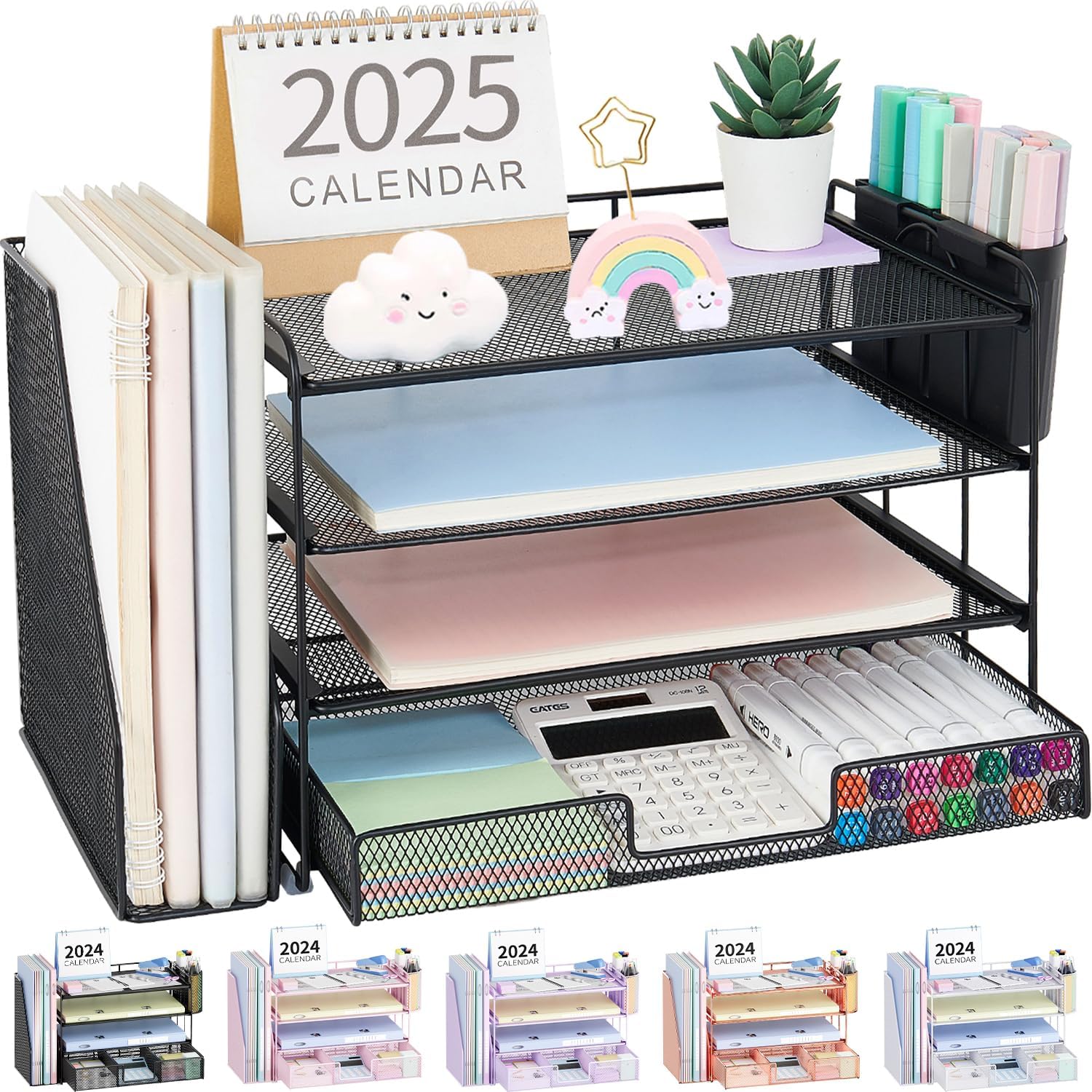
OPNICE Desk Organizer — 4-Tier Desktop File Organizer with Drawer and Pen Holders
A multi-tier file organizer with a pull-out drawer and dedicated pen holders — everything accessible, nothing cluttering the work surface. Clean design that works in any aesthetic.
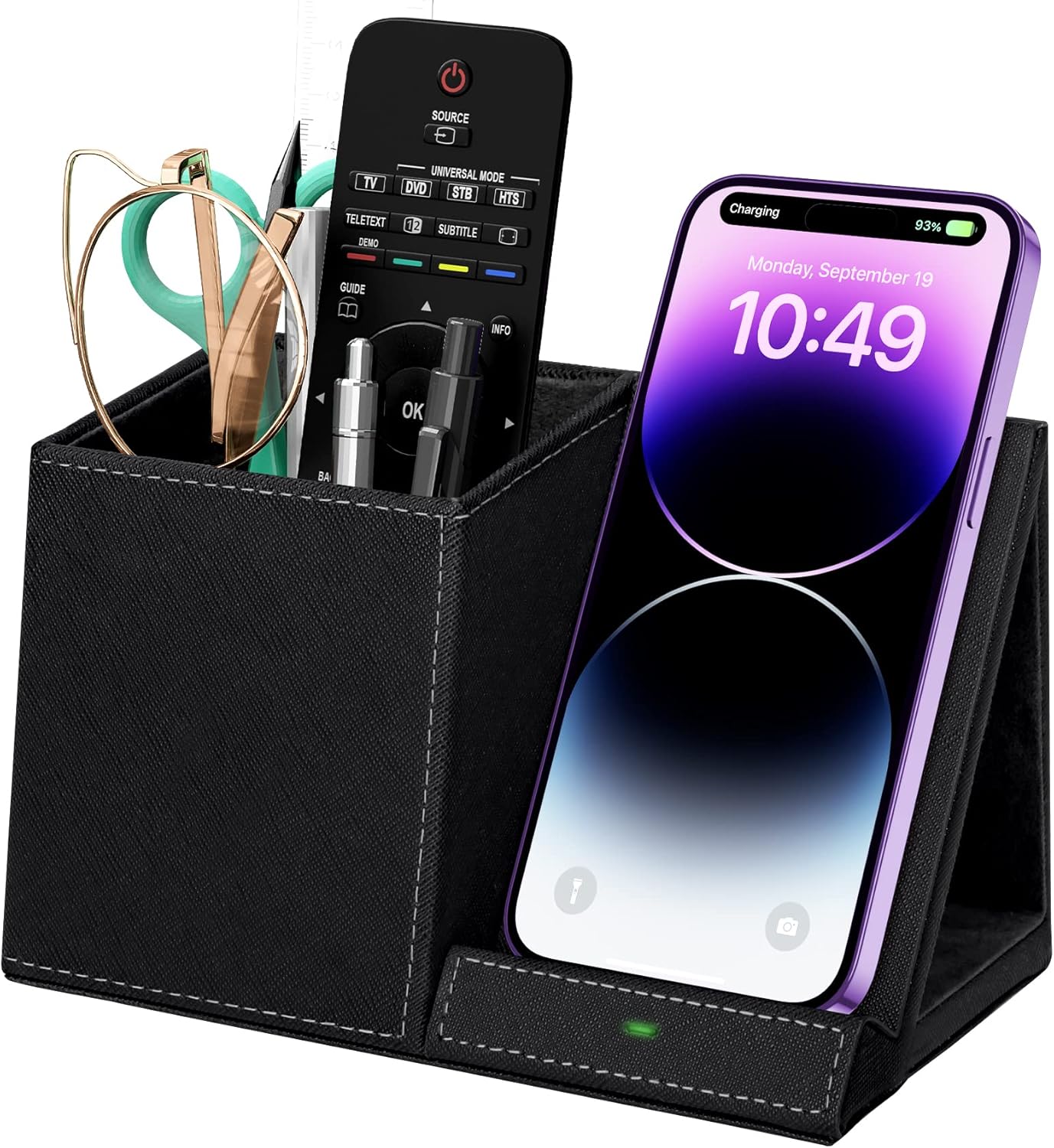
Multi-Functional Pen Holder with Wireless Charger Built In
Combines a pen and supply organizer with a wireless charging pad — so your phone charges while you work without requiring a separate charging cable cluttering the desk. Smart design for a tidier setup.
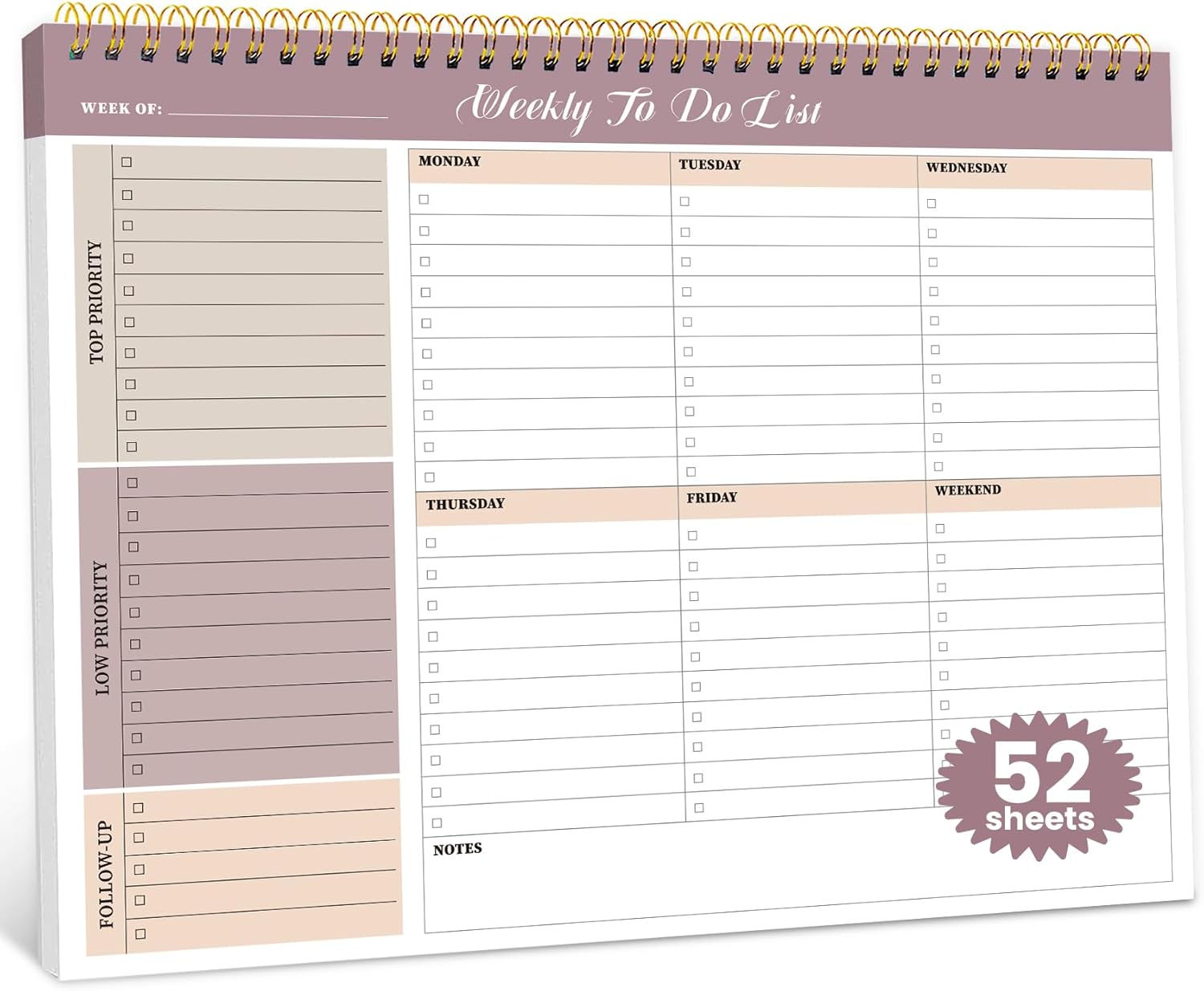
Weekly To-Do List Notepad — 52 Undated Sheets, 8.5″ × 11″
An undated weekly planner designed for desk use — large format for visibility, structured layout for planning your week. Physical planning reduces digital overwhelm and keeps priorities front of mind.
Lighting: The Most Underrated Home Office Essential
I cannot overstate how much proper lighting affects both productivity and wellbeing when you work from home. Working in a dim room makes you feel tired and can contribute to eye strain and headaches. Working in harsh overhead fluorescent light creates a kind of clinical tension that doesn’t exactly inspire creative thinking.
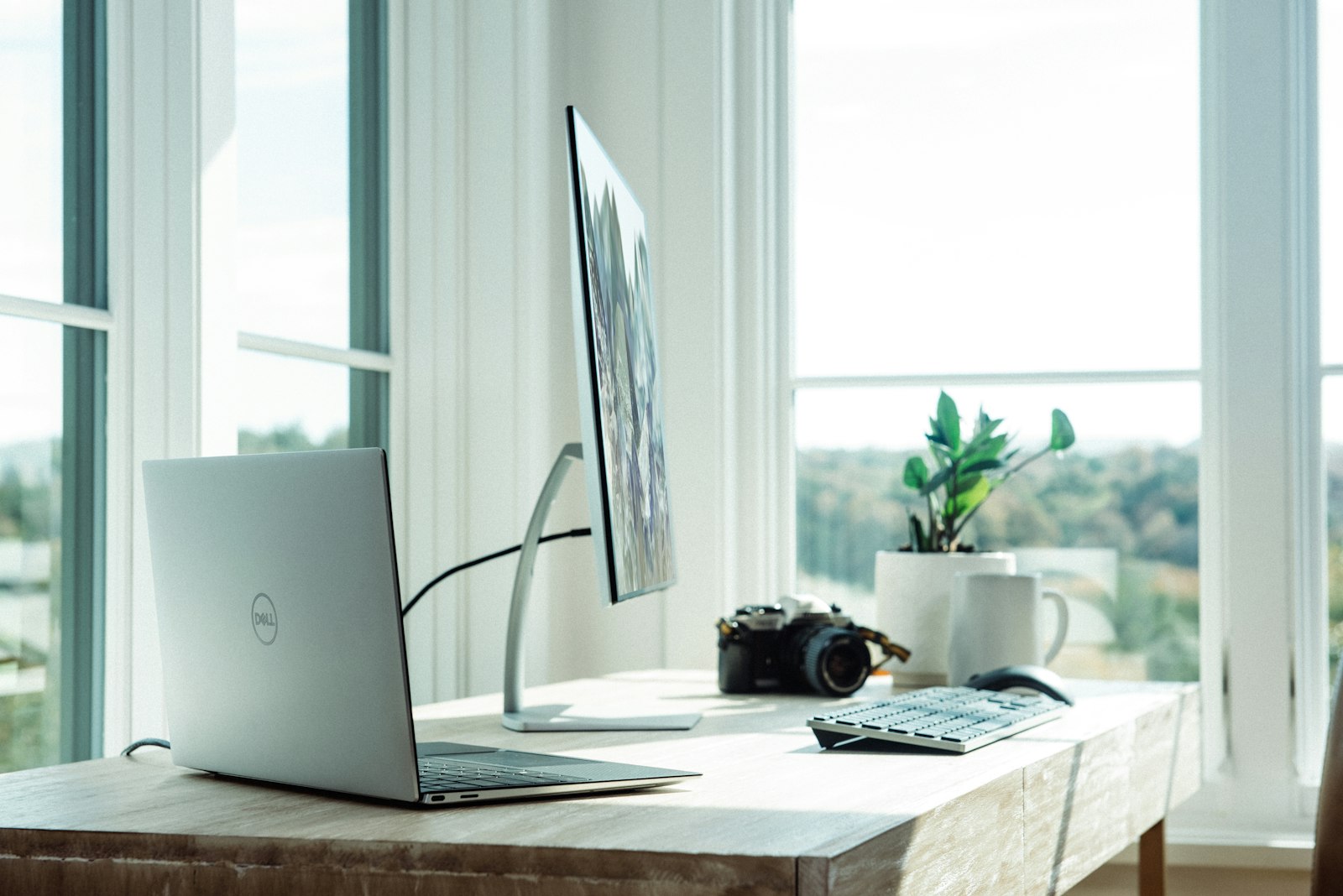
The ideal setup: a combination of natural light (position your desk near a window if at all possible), a warm overhead light for general illumination, and a dedicated desk lamp with adjustable brightness and color temperature for task lighting. Bias lighting behind your monitor also helps reduce eye fatigue if you stare at screens all day.
Color temperature matters more than most people realize. Warmer light (2700-3000K) is easier on the eyes and feels more home-like. Cooler, bluer light (5000K+) mimics daylight and can actually help with alertness — but too much of it, especially in the evening, disrupts sleep. I use warmer light in the morning when I’m doing creative work, and switch to cooler light in the afternoon for more analytical tasks.
Managing Distractions in Your Home Office
This is the hardest part of working from home, and no product fully solves it. But a few things help:
Noise Management
If you share your living space with other people, noise-canceling headphones are among the best productivity investments you can make. Even if your space is quiet, the act of putting them on can signal to your brain that it’s focus time — like a ritual that helps transition into deep work mode.
For background noise, I’ve found that instrumental music or lo-fi beats work better than podcasts or music with lyrics for focused writing or analysis. Anything with words competes for language-processing attention. I use a simple Bluetooth speaker on my desk and keep a playlist ready.
Phone and Digital Distractions
Put your phone face-down and on silent during focus blocks. Or better yet, in another room. The presence of your phone on your desk — even if you’re not looking at it — reduces cognitive capacity according to research. Keep it off the desk during focused work time. Use the wireless charging organizer I mentioned to keep it charged in a spot that isn’t directly in your eyeline.
Creating Physical Separation
One of the most important things you can do for both productivity and mental health when working from home is create physical and psychological separation between work and non-work. This is harder when your office is your kitchen table, which is why a dedicated space matters so much.
At the end of the workday, I close my laptop, tidy the desk, and leave the room. That act of physically leaving the space signals to my brain that work is over. Without it, I used to find myself checking email at 9 p.m. and feeling vaguely “on” all the time. The boundary isn’t just good for productivity — it’s good for mental health.
Ergonomics: What I Learned the Expensive Way
I spent about 18 months with progressively worsening upper back and neck pain before I properly addressed the ergonomics of my setup. Here’s the short version of what I learned:
- Screen height: Top of monitor at or just below eye level.
- Chair height: Feet flat on floor, knees at roughly 90 degrees.
- Keyboard position: Elbows at roughly 90 degrees, shoulders relaxed, not hunched.
- Distance from screen: About arm’s length. If you’re leaning forward to see the screen, the text is too small — zoom in, don’t lean.
- Movement breaks: Every 45-60 minutes, stand up, move around, look at something in the distance to rest your eyes. Non-negotiable.
The good news is that proper ergonomics doesn’t require expensive specialized equipment. A laptop stand ($25-40), a wireless keyboard and mouse ($30-50 for a good set), and an adjustable chair is all you really need. The chair is worth investing in if you work long days — a decent ergonomic chair will cost $200-400 and is worth every dollar if it means not spending money on physical therapy.

The Productivity Systems That Run Alongside the Products
Products create an environment for good work. But the systems inside that environment matter just as much. Here’s what I use alongside the physical setup:
Time Blocking
I plan my day in blocks rather than a running to-do list. Deep work (writing, strategy, anything requiring real concentration) gets the morning hours when my focus is sharpest. Administrative work, emails, and calls get the afternoon. This isn’t revolutionary advice, but actually doing it — and protecting those blocks — changed my output dramatically.
The Paper Planner
I know everything is digital now, but there’s something about physical planning that digital tools just don’t replicate for me. Writing something down with a pen creates a different relationship with the information than typing it does. I use a weekly notepad format — see the one listed above — and write my three most important tasks for the day every morning. Everything else is bonus.
The End-of-Day Review
Five minutes at the end of each workday to look at what I accomplished, move anything unfinished to tomorrow, and write down the first thing I need to do when I sit down the next morning. This sounds minor but it reduces the mental overhead of remembering “what was I supposed to be doing?” and means I never start the day by scanning through emails trying to figure out where to begin.
Building a Home Office on Any Budget
Not everyone can spend a thousand dollars setting up a home office. The good news is that the basics don’t require that. Here’s a minimal-spend approach that still captures the most important elements:
- Dedicated surface (even a small secondhand desk): $0-50
- Laptop stand to get screen at eye level: $20-35
- Wireless keyboard and mouse: $30-50
- Basic desk organizer: $20-30
- Good task lighting: $25-45
- Weekly planner notepad: $10-15
That’s a fully functional, ergonomic, organized home office for under $200 if you’re strategic about it. Compare that to the cost of a professional office in terms of commute time, clothing, and lunches out — the investment pays for itself quickly.
How to Set Up Your Home Office for Maximum Focus
Having the right products is half the equation. The other half is how you actually arrange and use them. I’ve worked from home for a few years now, and I’ve learned that a home office setup that looks good in photos isn’t necessarily one that works well all day. Here’s how I think about setting up a space that genuinely supports focus — not just aesthetically, but functionally.
Start with Location
If you have any choice about where in your home your office lives, protect it. The ideal spot has natural light (ideally from the side, not directly behind or in front of your screen), some separation from high-traffic areas, and a door — or at least a visual boundary — you can use to signal “I’m working.” I spent months working at the kitchen table and wondering why I was distracted constantly. The physical separation makes a psychological difference that I can’t fully explain but absolutely believe in now.
Get the Ergonomics Right Before Anything Else
Everything else is secondary to this. Before you buy a nice desk lamp or a decorative plant, make sure your screen is at eye level, your elbows are at roughly 90 degrees when typing, and your feet are flat on the floor. These three things prevent the neck pain, wrist strain, and back tightness that accumulate slowly and then hit you all at once after a few months of bad posture. A $25 laptop stand and a $30 wireless keyboard will do more for your long-term comfort than a $400 standing desk if the ergonomics are right.
Control Your Sound Environment
Open-plan homes and shared living situations make noise management one of the biggest home office challenges. What works for me: noise-canceling headphones for deep work, a white noise machine running quietly in the background when I’m not wearing headphones, and a firm rule about where I take calls (standing, near a window, away from my primary workspace — this keeps my desk associated with focused work rather than conversation). You’d be surprised how much the acoustic environment shapes your ability to concentrate.
Create a “Work Start” Ritual
One of the hardest things about working from home is the psychological transition from “home mode” to “work mode.” In an office, the commute does this for you automatically. At home, you have to create it. My ritual is simple: make coffee, sit at my desk (not the couch), open my weekly planner and write my three priorities for the day, then close everything except what I need for the first task. This 10-minute routine is a deliberate signal to my brain that focused work has begun.
Manage Digital Distractions Proactively
Your environment includes your digital environment. Website blockers (I use Freedom), notification silencing during deep work blocks, and keeping my phone in a different room during focused sessions have each made a measurable difference. The home office tools and products are the physical infrastructure — but your phone on the desk buzzing with notifications will undermine all of it. Set boundaries with your devices the same way you’d set boundaries with a chatty coworker.
End the Day the Same Way You Started It
A clear end-of-day routine is as important as a clear start. I do a 5-minute review: check off what I accomplished, move anything unfinished to tomorrow’s priorities, close all my tabs and apps, and physically tidy my desk. When I close my laptop and push in my chair, the workday is done. This matters more than it sounds — without it, working from home means work bleeds into evenings constantly, and you never fully decompress. Your future self will thank you for the hard stop.
Home Office Frequently Asked Questions
How do I stay productive when I work from home with kids or roommates?
Honest answer: it requires communication, boundaries, and some flexibility. The most effective thing I’ve done is make my schedule visible — a simple do-not-disturb signal (even just headphones on = don’t interrupt) goes a long way. For households with kids, working during nap times, early mornings, or after bedtimes is often the only path to real focused work. It’s also worth having an honest conversation about expectations: if the people you live with don’t know when you’re “at work,” they have no way to respect it.
What’s the single most important home office upgrade I can make?
Get your screen to eye level. If you’re working with your laptop flat on a desk, you’re looking downward all day — and that forward head position puts enormous strain on your neck and upper back over time. A laptop stand costs $20-40 and is the fastest, cheapest, highest-impact ergonomic improvement you can make. Pair it with a wireless keyboard so your hands are at the right height while your screen is at the right height, and you’ve solved the biggest physical issue in most home offices.
Is a standing desk actually worth it?
For most people, a sit-stand desk is more valuable as a psychological tool than a physical one — the act of standing up signals a shift in mental mode. But the research on standing desks is more nuanced than the marketing suggests: standing all day isn’t inherently healthier than sitting all day, and many people end up using them in sitting mode most of the time. What does matter is movement. Whether you have a standing desk or not, getting up and moving every 45-60 minutes is more important than the desk itself. If a standing desk helps you do that, great. If it’s just expensive furniture, save the money.
How do I handle video calls when my background is messy or unprofessional?
A few options that actually work: position your camera so you’re facing a wall with some intentional decor (a bookshelf, a plant, a piece of art) — this takes 10 minutes to arrange and works better than most virtual backgrounds. If you prefer a virtual background, your camera quality matters more than your software; poor lighting is what makes virtual backgrounds look fake. A cheap ring light ($30-50) behind your monitor will dramatically improve how you look on camera regardless of what’s behind you.
What home office tools are most worth spending money on versus saving on?
Spend more on: your chair (you’re in it for 6-8 hours a day — this directly affects your physical health), your monitor or laptop stand (ergonomics matter), and your noise-canceling headphones (focus is your most valuable working asset). Save on: desk accessories, cable management, decorative items, and most organizational tools — these have cheap versions that work just as well as expensive ones. The things that touch your body or directly affect your ability to concentrate deserve the budget. Everything else doesn’t.
How do I make my home office feel less isolating?
This is real and underrated. Remote work can get lonely in ways that sneak up on you. What helps me: a scheduled daily call or check-in with a coworker or friend (not just async Slack), occasionally working from a coffee shop or library for a change of environment, and being deliberate about non-work social interactions. The home office setup can be perfect and still leave you feeling cut off if you’re not intentional about connection. Build social time into your schedule the same way you’d schedule a meeting — it doesn’t happen automatically when you work from home.
Final Thoughts on Home Office Essentials
Working from home well is a skill, and like any skill, it gets better with the right tools and practice. The products I’ve shared here are the ones that made the most difference in my actual working life — not the most glamorous or most expensive, but the ones I reach for every day and would genuinely miss if they disappeared.
If you’re building or upgrading your home office, I’d suggest starting with organization (the desk organizer system), ergonomics (screen height is the biggest bang for buck), and planning (the paper planner changes how you start every day). From there, add lighting and sound management as budget allows.
Your home office is where your career happens. It deserves to be a place where you actually want to show up.
Free Download
Get My Daily Supplement Stack Guide
Everything I take, why I take it, and what I noticed — morning, midday, and evening. Free when you join the list.
No spam, ever. Unsubscribe anytime.